Download the an333 App Now
The an333 app (version 2.5.6) is a free APK file for Android phones running version 6.0 or later. It is not on the Google Play Store — you download it directly from this page and install it in under two minutes. No registration is needed before installing.
an333.apk · 41 MB · Free · Android 6.0+| App Details | |
|---|---|
| Version | 2.5.6 |
| File Name | an333.apk |
| File Size | 41 MB |
| Minimum Android | 6.0 |
| Last Updated | 2026-11-05 |
| Price | Free |
| Language | English / Bangla |
| Platform | Android (APK sideload) |
Scan with your phone camera to download
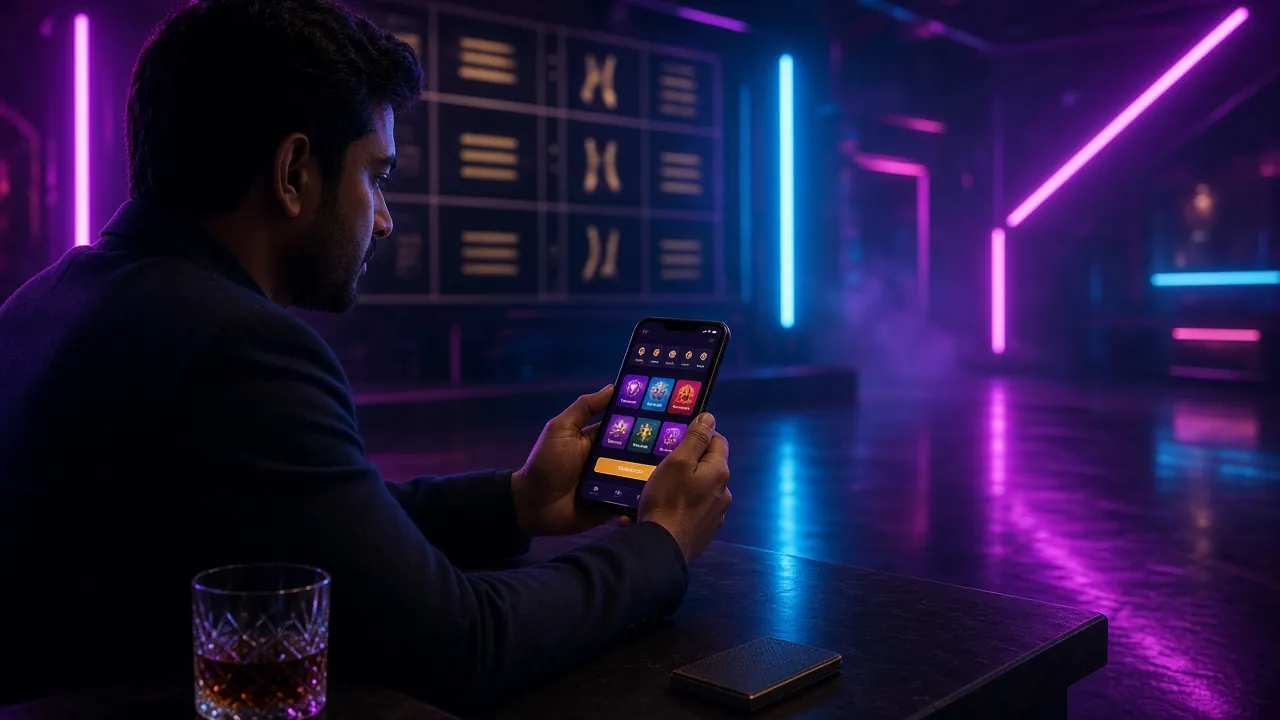
See the App in Action
-
Loads fast on 4GOptimised for Bangladeshi mobile networks — pages open in under 2 seconds even on a standard 4G connection.
-
Match alertsGet push notifications when a BPL or IPL match goes live, or when your withdrawal is processed.
-
bKash & Nagad in-appDeposit with bKash or Nagad without leaving the app. Deposits clear in about 4 minutes.
-
Encrypted sessionsAll traffic uses TLS 1.3 encryption. Your login details and payment data are protected end-to-end.
Install on Android in Five Steps
Register after installing →Android blocks APK files from unknown sources by default. You need to allow this once before the file will install. The whole process takes about two minutes.
Allow Unknown Sources
Go to Settings > Security (or Apps > Special Access on Android 8+) and turn on Install Unknown Apps. On some phones you enable this per browser — just tap Allow when Chrome asks. You can switch it back off after installation is done.
Download the APK
Tap the Download APK button on this page. Your browser will save an333.apk (41 MB) to your Downloads folder. Wait for the progress bar to reach 100% — do not close the browser tab during download, as this may corrupt the file.
Open & Install
Tap the Open prompt in your browser, or find an333.apk in your file manager and tap it. Android shows an install screen — read the permissions, then tap Install. The app installs in about 15–20 seconds depending on your phone model.
Log In or Register
Open the an333 app from your home screen. Existing members tap Log In and enter their credentials. New players tap Register and fill in a mobile number and password — registration takes under 90 seconds. You can also log in here if you prefer the browser.
Deposit & Play
Go to the Wallet tab and select bKash, Nagad, Rocket or another method. Minimum first deposit is ৳200. Your balance updates in roughly 4 minutes. Head to Sports, Slots or Live Casino and start playing — your welcome bonus is applied automatically on your first deposit.
Playing an333 on iPhone or iPad
Apple does not allow sideloading APK files. iPhone users access an333 through the mobile browser instead, and can pin the site to their home screen for a near-app experience.
Add to Home Screen on iOS
- Open Safari and go to an333.lat in the address bar.
- Tap the Share button (the box with an arrow pointing up) at the bottom of the screen.
- Scroll the share sheet and tap Add to Home Screen. Rename it "an333" if you like.
- Tap Add in the top-right corner. The an333 icon now appears on your home screen like any other app.
What iOS Users Get
- Full access to Sports, Slots, Live Casino and Fishing games
- bKash and Nagad deposits work normally through Safari
- Responsive layout adjusts to iPhone screen sizes (13 mini to 15 Pro Max)
- Bookmark syncs across all your Apple devices via iCloud
- No iOS-specific restrictions on betting or casino games within Bangladesh jurisdiction
For the best iOS experience, use Safari rather than Chrome or Firefox, as Safari supports the full-screen web-app mode.
App vs Mobile Browser – Which Should You Use?
Both options give you the full an333 game library. The APK app has a few extra conveniences for daily players, while the mobile browser works instantly with no install.
| Feature | an333 APK App | Mobile Browser |
|---|---|---|
| Push notifications for match starts | Yes | Not available |
| Works without installing anything | Install required | Open and play |
| Deposit via bKash / Nagad | Yes | Yes |
| Offline quick-launch from home screen | Yes (native icon) | With "Add to Home Screen" |
| Automatic updates | Manual APK re-download | Always latest version |
| Fingerprint / Face ID login | Yes (Android biometrics) | Not available |
| Live score widgets | Yes | Not available |
| Full game library access | All 5,100+ games | All 5,100+ games |
| File size / data cost | 41 MB one-time download | Streamed each session |
| Supported on iPhone / iPad | Android only | All iOS devices |
The APK app is the better choice if you bet on cricket every day and want match alerts. The browser version suits iPhone users and anyone who prefers not to install files.
What You Can Do Inside the App
The an333 app organises its content into five main sections: Sports, Slots, Live Casino, Fishing and Crash. Here is what each one offers on a match night or a quiet weekend.
Cricket & Football Betting
Place pre-match and in-play bets on BPL, IPL, T20 World Cup and Premier League fixtures. Odds update in real time. The bet-slip sits at the bottom of the screen, so you can add selections from multiple matches without losing your place. Minimum bet ৳10 per market.
Slots on Match Nights
Spin slots from PG Soft, Spribe, Red Tiger, Sexy Gaming and Evolution between overs or during half-time. Games load in about 1.5 seconds on a 4G connection. Popular titles inside the app include Nine (RTP 96.6%), Circle (97.3%) and Jurassic Kingdom (97.7%).
Live Casino Tables
Join live-streamed Blackjack, Baccarat and Roulette tables hosted by real dealers. The video stream adjusts quality automatically based on your connection speed. Double Exposure Blackjack from Spribe starts at ৳2 per hand, making it one of the lowest-entry live games on the platform.
Crash & Fast Games
Aviator-style crash games let you cash out before the multiplier crashes. Rounds last 10–30 seconds, so you get many rounds in a short session. These games suit commuting on a Dhaka bus or waiting at a CNG stand — no long match to follow, just quick decisions.
Fishing Games
Fishing games like Treasure Boat Fishing (PG Soft, RTP 95.4%) use tap-to-shoot mechanics. Each catch pays a multiplier. The game works well even on slower connections because it uses small assets. Minimum bet ৳2, so your balance lasts a long practice session.
Deposits & Withdrawals
Open the Wallet tab to send money via bKash, Nagad, Rocket, Upay or Bank Transfer without switching apps. Deposits arrive in about 4 minutes. Withdrawals are processed in about 9 minutes for accounts that have completed KYC verification. Minimum withdrawal ৳1,200.
Games Available in the App


System Requirements and Version History
| Android Requirements | |
|---|---|
| Operating System | Android 6.0+ |
| Free Storage | ≥ 150 MB |
| RAM | ≥ 2 GB recommended |
| Internet | 4G / Wi-Fi |
| Architecture | ARM64 / ARMv7 |
| Root required? | No |
| Version Log | |
|---|---|
| 2.5.6 (current) | Faster live-score polling; fixed Nagad deep-link on Android 14 |
| 2.5.0 | Added biometric login; crash game performance boost |
| 2.4.3 | New Fishing category; improved bKash payment flow |
| 2.3.1 | Dark mode refinement; push notification reliability fix |
Always use the latest version to get the most recent security patches and payment fixes. Re-download an333.apk from this page to update — there is no auto-update system.
How the App Keeps Your Data Safe
The an333 APK is built and distributed by the same team that runs the website. No third-party has permission to repackage or redistribute it. Here is what the app does and does not access on your phone.
TLS 1.3 Encryption
Every connection between the app and an333 servers uses TLS 1.3. Your login token, bet history and payment details travel encrypted. The app will refuse to connect over an unencrypted HTTP link, so a compromised Wi-Fi network cannot intercept your session.
Permissions Used
The app requests: Internet (required), Notifications (match alerts — optional), Biometrics (fingerprint login — optional). It does not request access to your contacts, SMS, microphone, camera or file storage beyond the APK install itself.
APK Authenticity
The file you download from this page (an333.apk) is signed with our certificate. Android will warn you if the file has been modified. If you get an "App not installed" error on a fresh download, delete the file and download again from this page — do not use APK mirror sites.
Account Security Tips
Use a unique password you do not use on other sites. Enable biometric login in Settings > Security inside the app. If you share a phone, log out after each session. Contact [email protected] immediately if you notice unrecognised login activity.
Fixing Common Install Problems
Most install errors have a quick fix. The table below covers the five most common issues reported by players in Bangladesh.
| Error / Symptom | Likely Cause | Fix |
|---|---|---|
| "App not installed" message | Incomplete download or an older version of the app is already installed | Uninstall any previous an333 app, delete the APK, re-download from this page and try again. Make sure the download reaches 100% before opening. |
| Install button is greyed out | "Install Unknown Apps" permission is not enabled for your browser | Go to Settings > Apps > (your browser) > Install Unknown Apps and toggle it on. Then tap the APK file again from your Downloads folder. |
| App crashes on opening | Android version is below 6.0, or RAM is under 1 GB | Check your Android version at Settings > About Phone. If below 6.0, use the mobile browser version at an333.lat instead — it works on Android 5.1+. |
| bKash / Nagad payment screen does not open | bKash or Nagad app is not installed, or deep-link permission is blocked | Install the latest version of the bKash or Nagad app from Play Store. If the problem continues, use the browser-based payment flow in the app settings. |
| Push notifications not arriving | Notification permission was denied at first launch, or battery saver is killing background apps | Go to Settings > Apps > an333 > Notifications and enable all categories. Also exempt an333 from battery optimisation in Settings > Battery > App Battery Manager. |
Still stuck? Open the in-app live chat or email [email protected]. Support is available 24/7.
Questions Players Ask Before Downloading
Is the an333 APK safe to install?
Yes. The APK file hosted on this page is signed by an333 and built from the same codebase as the website. It requests only three permissions — internet access, optional push notifications and optional biometric login — none of which touch your personal files, contacts or SMS. Android itself scans the file with Google Play Protect during installation. If you download the file from a third-party APK mirror instead of this page, we cannot guarantee its integrity, so always download from an333.lat.
Why is an333 not on Google Play Store?
Google's Play Store policy does not allow real-money gambling apps in Bangladesh. This applies to nearly all online betting and casino platforms operating in the country. The APK sideload method is the standard distribution route for these apps and has been used by players in Bangladesh for years. The process is straightforward — you allow installs from unknown sources once, download the file from this trusted page and install it. Millions of Bangladeshi users do this regularly for various apps.
What happens if I don't update the app?
Older versions will keep working for a while, but payment gateway updates — particularly for bKash and Nagad — are rolled out server-side and can break payment flows on versions that are more than two releases behind. The current version is 2.5.6. To update, simply download the latest an333.apk from this page and install it over your existing version; you do not need to uninstall first and your account data is stored server-side, so nothing is lost. We recommend updating whenever a new version appears on this page.
Can I use one account on both the app and the mobile browser?
Yes. Your an333 account is tied to your username and password, not to any device. You can log in through the app on your Android phone and through the browser on a laptop or iPad using the same credentials. Your balance, bet history, bonuses and VIP points are shared in real time across all sessions. If you are logged in on two devices at the same time, both sessions stay active — there is no forced single-session restriction. Just remember to log out if you are on a shared or public device.
How do I know when a new version of the app is released?
The easiest way is to enable push notifications in the app — an333 sends a notification when a new APK is available. You can also check the version table on this page, which is updated on the same day each release goes live. The current version date is shown in the App Details table above. If your app version does not match the number there, download the latest file from the button at the top of this page and install it. No uninstall is needed; just tap through the install prompts.
Does the app work on Samsung, Xiaomi and Symphony phones?
Yes. The an333 app has been tested on Samsung Galaxy (A and M series), Xiaomi Redmi (Note series), Realme and Symphony phones, which are among the most common handsets in Bangladesh. The minimum requirement is Android 6.0 and 2 GB RAM. Some Symphony budget phones ship with as little as 1 GB RAM — on those devices the app may load slowly or crash under heavy graphics load. If that happens, the mobile browser version at an333.lat runs with significantly lower memory usage and is the better choice.
Is there a separate app for depositing with bKash or Nagad?
No. Deposits and withdrawals are handled directly inside the an333 app from the Wallet tab. When you tap bKash or Nagad, the app opens the relevant payment app on your phone (or the mobile web version if the payment app is not installed) and returns you to an333 once the transfer is confirmed. The minimum deposit is ৳200 and funds typically arrive in about 4 minutes. Withdrawals go back to your registered bKash or Nagad number and take about 9 minutes after KYC verification is complete. See the Deposit Guide for a full walkthrough.
Explore More of an333
- 18+ Only
- SSL Encrypted
- 24/7 Support
- bKash
- Nagad
- Rocket
- Bank Transfer
- 18+ · Play Responsibly